
If you did not modify the underlying OS, the upgrade is very straightforward.
As often for upgrades: the Masters first, then the workers.
Procedure
Checks
- Check that the current RKE2 version is supported under both OS release with the compatibility matrix here.
In the below example, I’m running thev1.30.1+rke2r1but Ubuntu 24.04 is supported fromv1.27.16+rke2r1 - Make sure the OS is not modified with specific tools or repositories. If it’s the case, carefully read the instruction during the
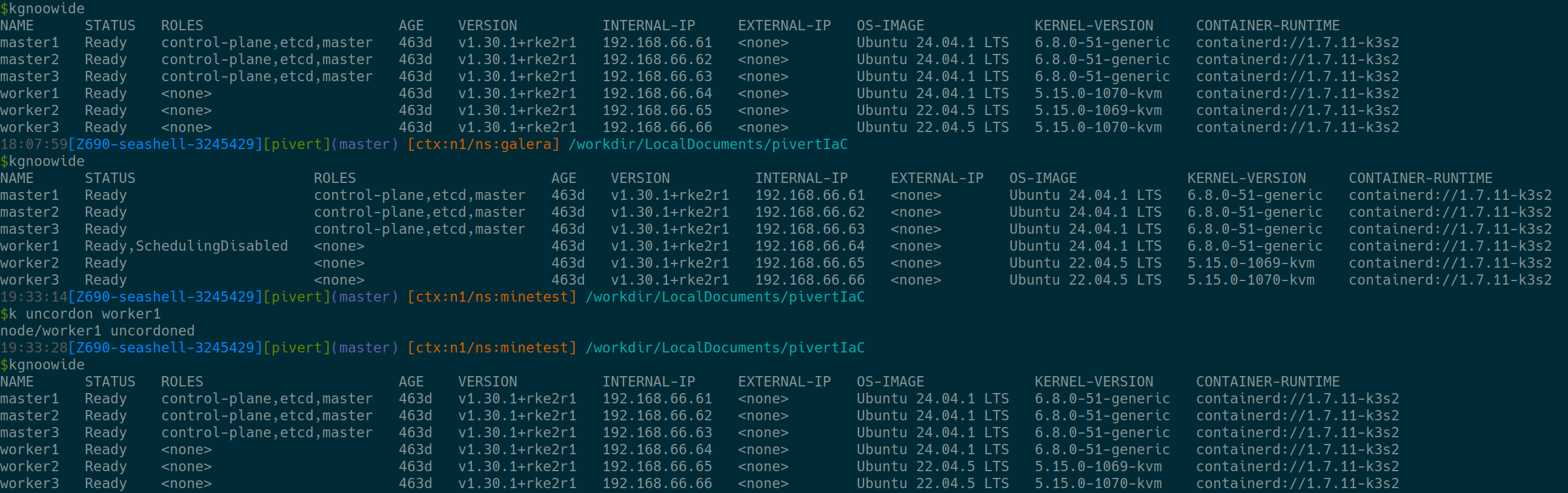
do-release-upgrade - Check that all the nodes are healthy and in the cluster. I use aliases from Ahmet for K8S. So:
alias kgnoowide='kubectl get nodes -o=wide - Ensure you have 5 GB disk space on
/on each node:
Upgrade
Upgrade the nodes one by one starting by the masters, finishing by the workers. I decided to start by the master1 and finish by the worker3.
For each node:
apt update && apt upgrade -yto ensure you have the latest packages of 22.04.reboot- Ensure the node properly comes back to the cluster
kubectl get nodes -o=wideorkgnoowide - If everything is fine:
do-release-upgrade - Use
k drain <node>, especially on workers. - Ensure the node is up and ready after reboot
kgnoowide - Use
k uncordon <node>if you drained the node.